Setting Data Enrichment Usage Permissions
TE Recruit’s Data Enrichment addon allows you to purchase enrichment credits and request additional information for People records.
Note: the ability to set data enrichment usage permissions is restricted to only those users that have permission to manage users
To allow or restrict a user from using your agency's data enrichment credits:
- Expand the Sidebar in the top right corner of the software and click on the Settings icon
- Click to expand the My Agency section and then select Manage Users

- All users on the account will populate on the Manage Users page
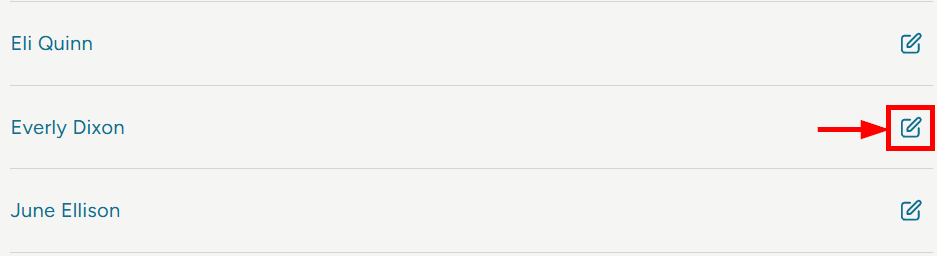
- Click on the edit icon to the right of the person you wish to set data enrichment subscription permissions for
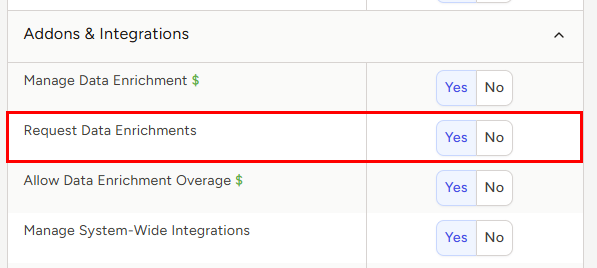
- Under the user’s Permissions on the right side of the User Profile, click to expand the Addons & Integrations section
- To the right of Request Data Enrichments, set the appropriate permission
- Yes = this user has the ability to use credits to request data enrichments
- No = this user cannot request data enrichments
- Make sure to click the Save button at the bottom once your changes have been made