Industries and Occupation Codes in TE Network
Industries and Occupation Codes function as an additional coding system for your People, Company, and Job records in TE Recruit.
- Industries are a reflection of the North American Industry Classification System (NAICS), which is used by federal statistical agencies to classify businesses.
- Occupation Codes are a reflection of the Standard Occupational Classification (SOC) system, which is used by federal agencies to classify workers into occupational categories.
Neither of these lists can be edited in any way. If you wish to create a custom coding system for your data, you can do so through the use of Tags.
To add Industry or Occupation Codes to a record:
- Navigate to the corresponding Person, Company, or Job Datasheet
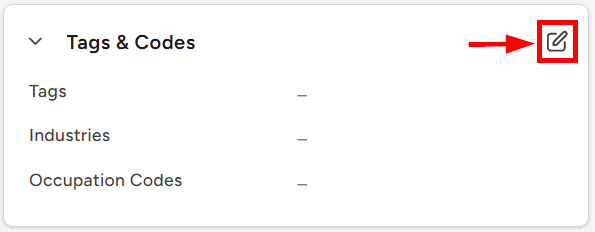
- Locate the Tags & Codes card
- Click the pencil icon in the top right corner of the card to inline edit the corresponding fields
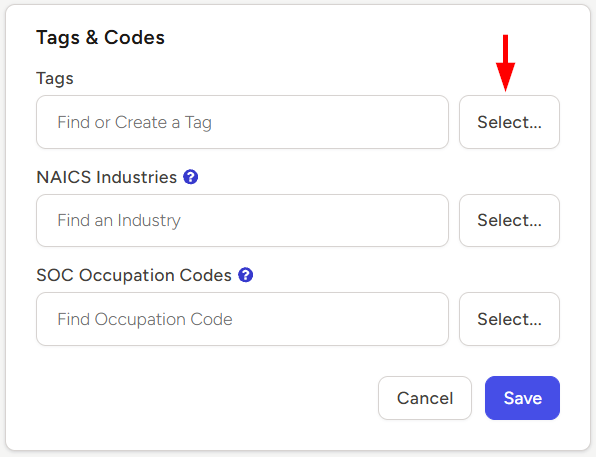
- Begin typing in the corresponding field on the right to view matching results, or click the Select... button to review and select from a full list of options
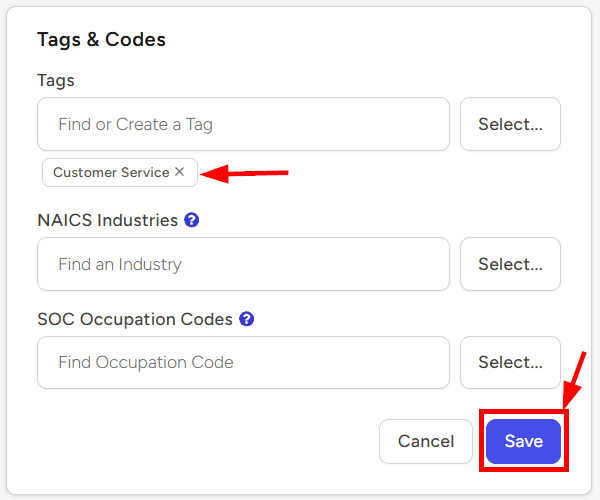
- Click the Save button once you’ve selected the appropriate Industries and/or Occupation Codes