
Managing Your Data Enrichment Subscription
TE Recruit's Data Enrichment add-on allows you to enhance candidate records with valuable professional information, including contact email addresses, phone numbers, work history, education, social profiles, and more. By bringing this information directly into TE Recruit, Data Enrichment helps reduce manual research and turn incomplete records into actionable recruiting opportunities.
To begin using enriching records, your agency must first purchase a monthly subscription, which includes a set number of enrichment credits that can be used throughout each billing cycle.
Note: the ability to manage your agency's data enrichment subscription is restricted to only those users who have the proper permission.
Ready to get started? Sign up now!
To add a new data enrichment subscription:
- Expand the Sidebar in the top right corner of the software and click on the Settings icon
- Click to expand the Addons & Integrations section and then select Manage Data Enrichment

- Click the Subscribe button and follow the prompts to complete your order
- You will be charged a prorated rate depending on the day you start your new subscription
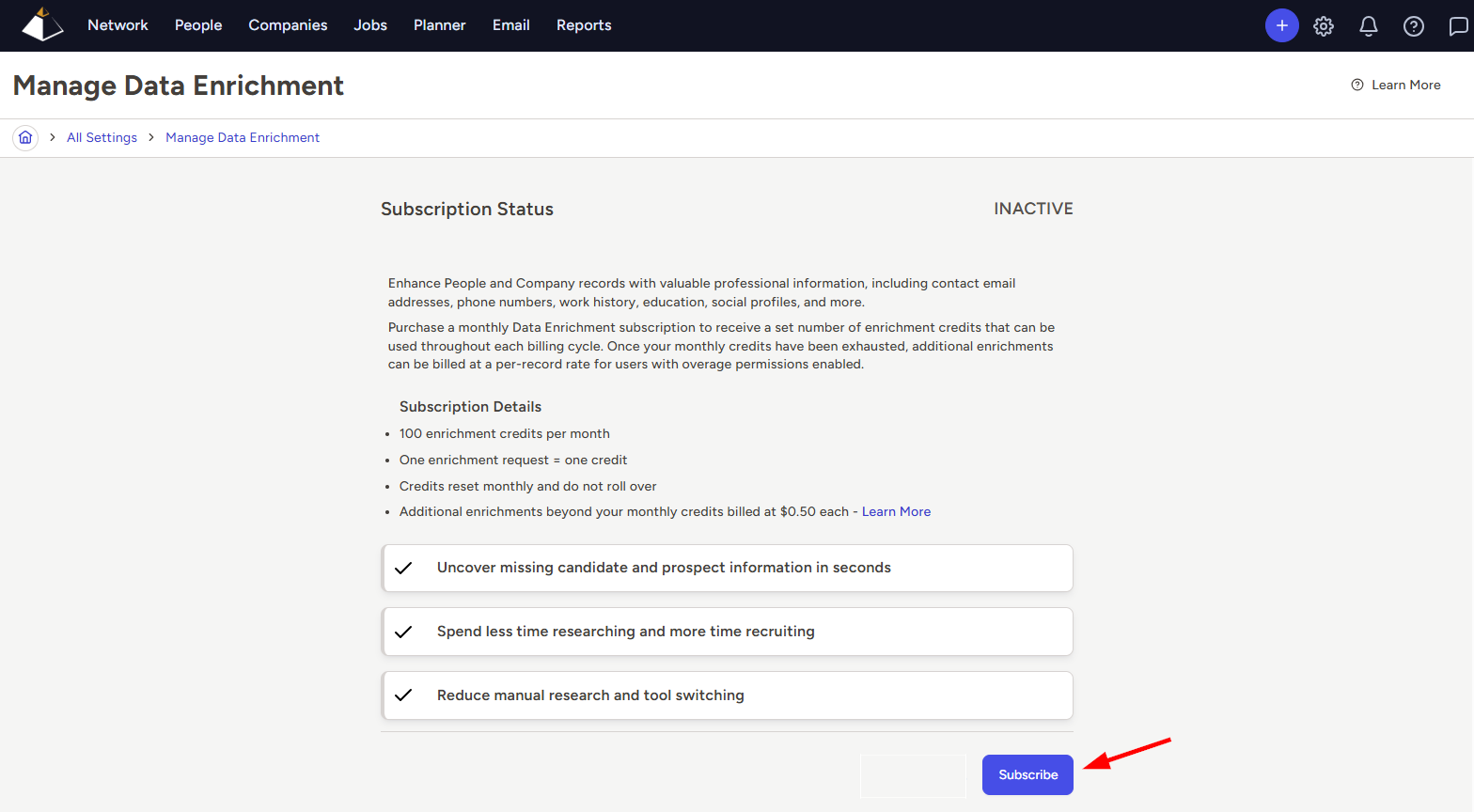
- Once subscribed, you'll see the page update to reflect an Active status along with your credit balance, and any appliable overages for the current month
To cancel a Data Enrichment subscription:
- Expand the Sidebar in the top right corner of the software and click on the Settings icon
- Click to expand the Addons & Integrations section and then select Manage Data Enrichment
- Click the Cancel Subscription link under your subscription details

- When prompted, click Confirm to cancel your Data Enrichment subscription
- Your subscription will remain active through the end of the current billing month, and you will not be charged for the add-on in the following month
