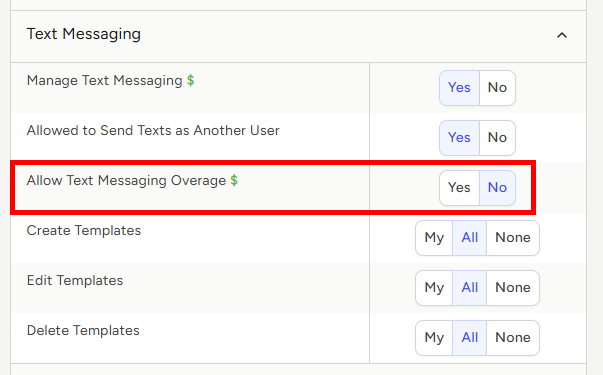
Managing Text Messaging Overage Permissions
TE Recruit’s text messaging service allows you to subscribe to one or more dedicated phone numbers to send text messages to candidates and/or contacts through the software. Outgoing messages are logged as Activities on the corresponding record. When a recipient replies, the incoming text message is also logged to TE Recruit.
Each dedicated phone number has a recurring monthly charge and includes 250 outgoing text messages per month, along with unlimited incoming text messages.
By default, users are not permitted to exceed your agency's monthly text messaging allowance. However, you can allow users to go over that limit by editing their individual user permissions.
Note: The ability to set text message overage permissions is restricted to only those users that have permission to manage users
To set text messaging overage permissions:
- Expand the Sidebar in the top right corner of the software and click on the Settings icon
- You can also get to Settings via the gear icon in the Main Navigation Bar
- Click to expand the My Agency section and then select Manage Users

- All users on the account will populate on the left side of the Manage Users page
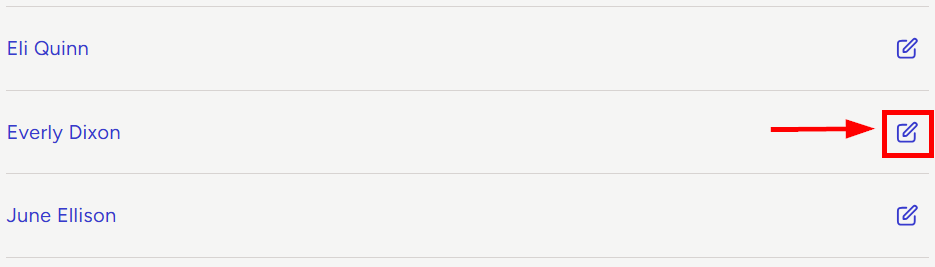
- Click on the edit icon to the right of the person you wish to allow or restrict from email overages
- Under the user’s Permissions on the right side of the User Profile, click to expand the Text Messaging section
- To the right of Allow Text Messaging Overage, set the appropriate permission
- Yes = this user can exceed your agency's monthly text messaging allowance. Additional outgoing text messages are billed at $0.05 per message and will appear on your next monthly invoice
- No = this user cannot exceed your agency's monthly text messaging allowance.