Authorizing TE Recruit as a Trusted App - Google Workspace
Google Workspace administrators may need to authorize TE Recruit as a trusted app in order to take advantage of Inbound Email Sync.
 Inbound Email Sync is only available on the Professional Tier
To whitelist TE Recruit as a Google Workspace administrator:
- Log into the Google Admin Console
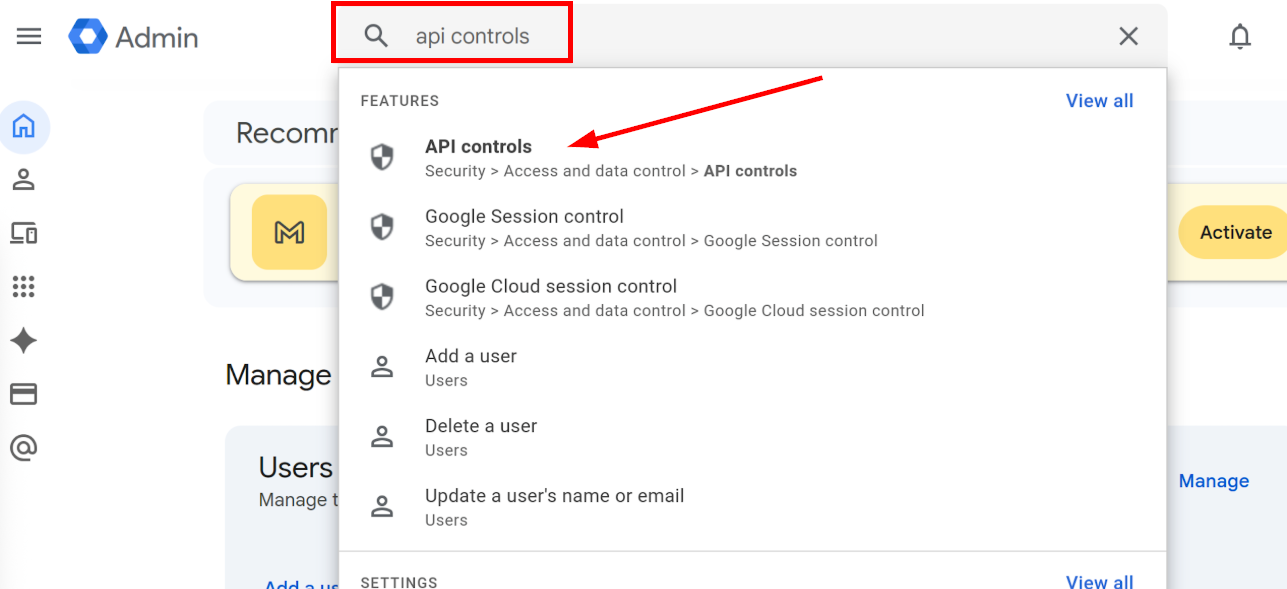
- Search for and select API Controls in the search bar at the top of the page
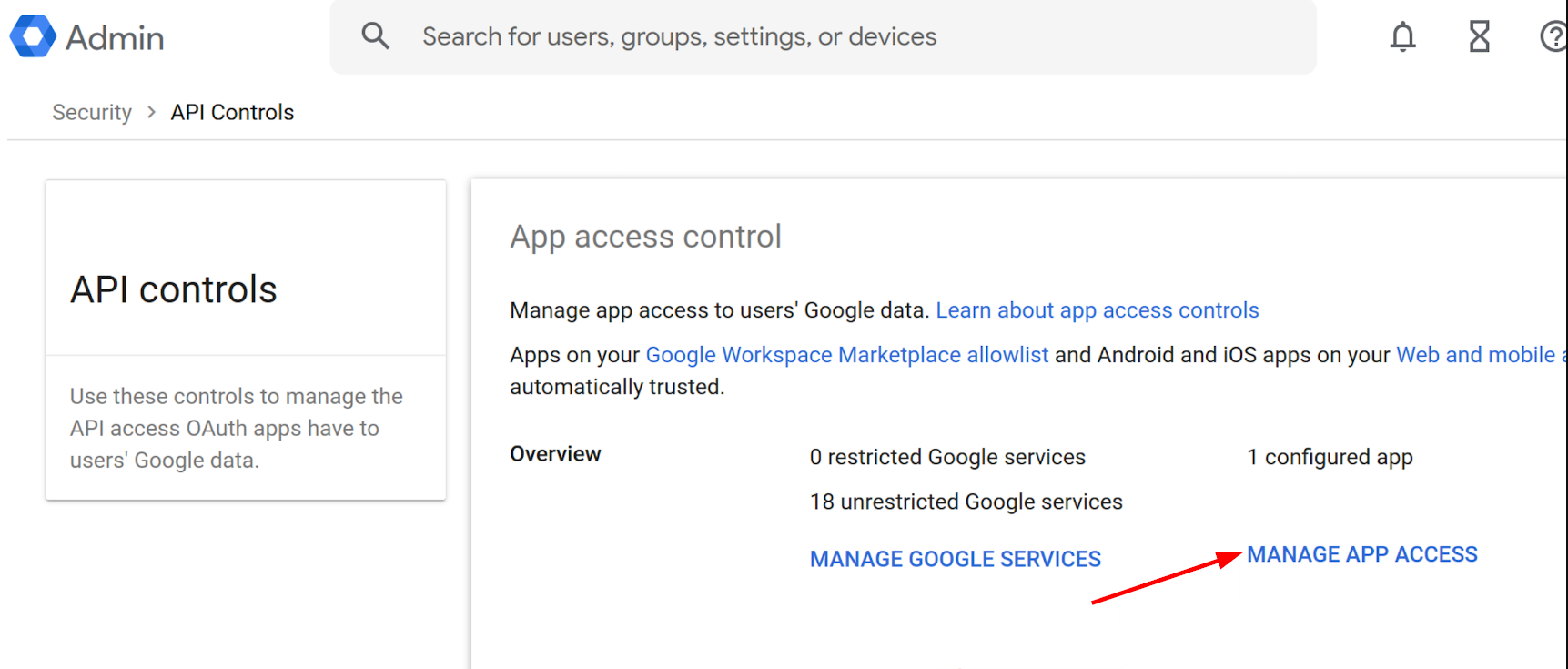
- From API controls, click MANAGE APP ACCESS
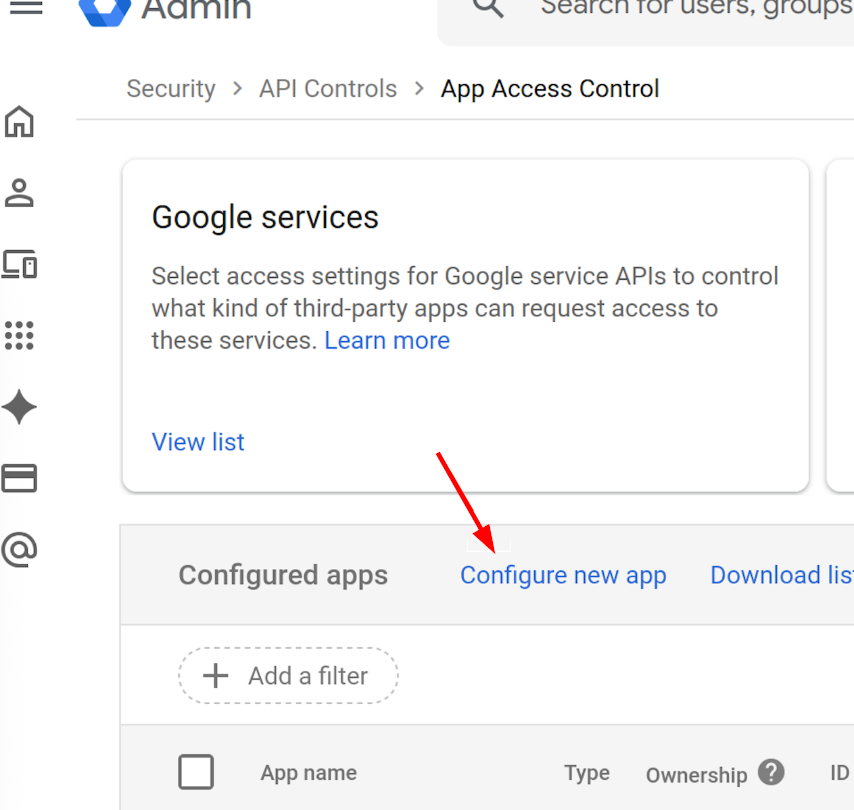
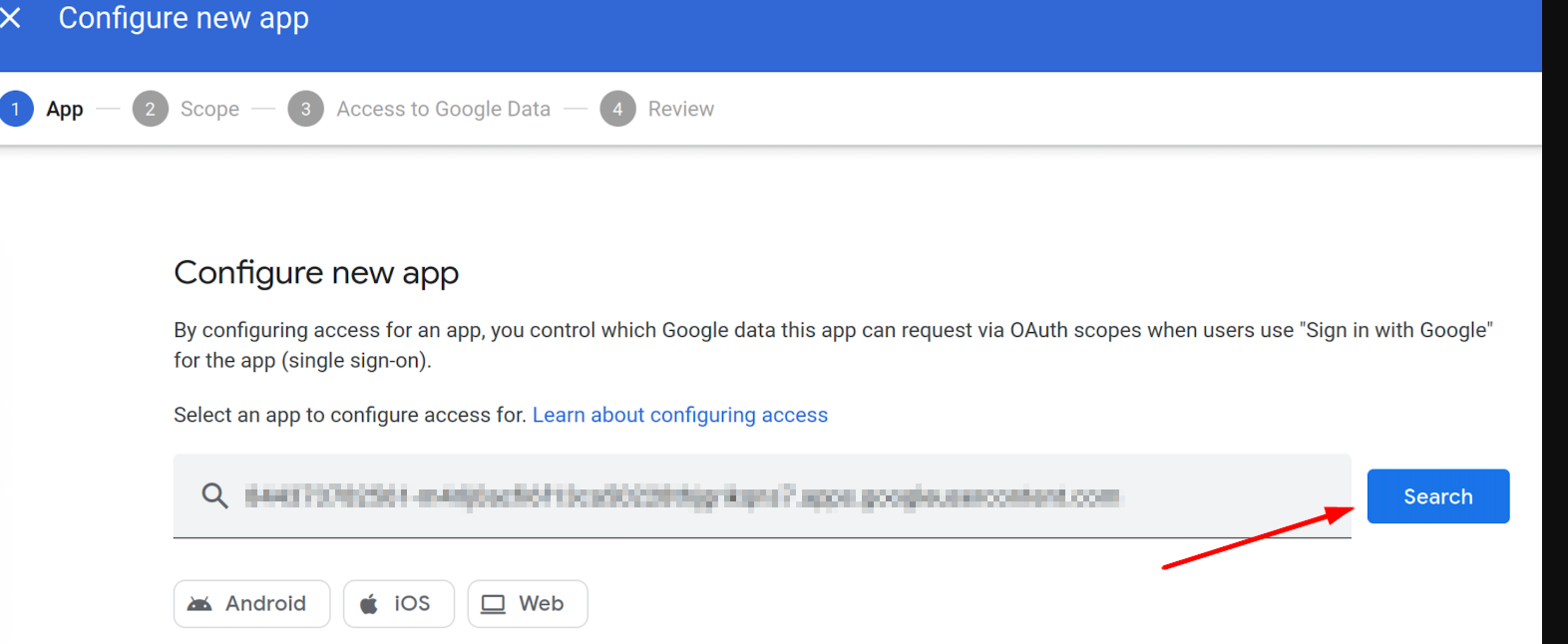
- On the App Access Control screen, click the Configure new app option near the middle of the page
- Copy and paste the following in the search field - this is the unique identifier for TE Recruit
947147330855-t9f4vgdd1nhgemn90b47vrg4d6kn5i5a.apps.googleusercontent.com
- Click Search
- From the search results, select TE Recruit
- You'll be asked to select a Scope of access, and we typically recommend the default of All
- Click Continue after making your selection
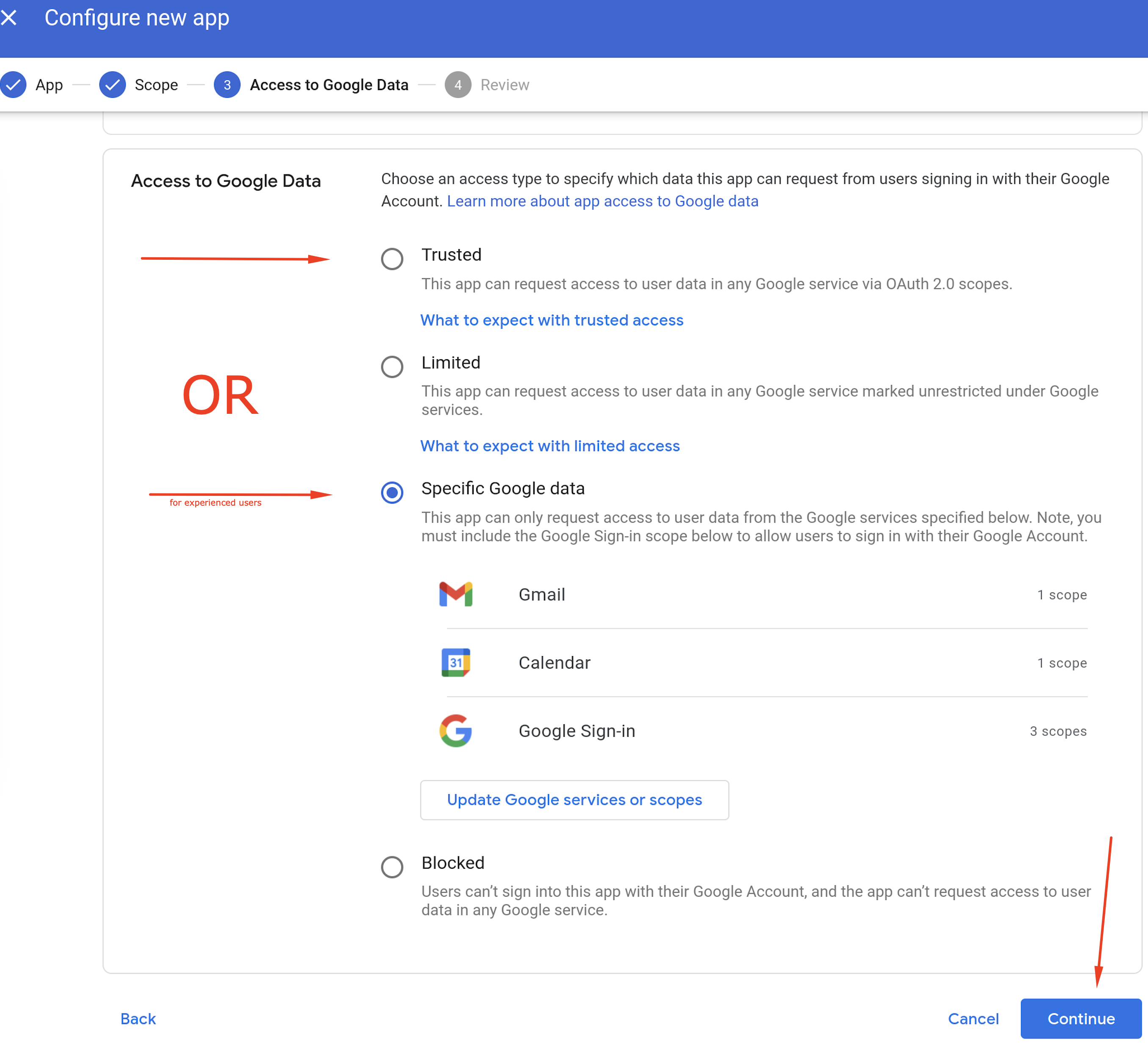
- On the final Configure new app page, select either Trusted or Specific Google data (to limit which Google services the app will have access to), and then click Continue to complete the process and save TE Recruit as a trusted app