
API Integrations
 This feature is only available on the Professional Tier
TE Recruit's public API provides additional flexibility for connecting TE Recruit with other systems and building custom integrations that support your workflow.
Table of Contents:
Looking for our API Documentation? Swagger docs are here: https://bb3api.topechelon.com/api-docs/index.html
General Principles
Access to TE Recruit via the public API is designed to work the same as users' regular access in-app, including permissions/visibility, and ownership of Records and Activities. Each user who would like to take any action via the API will authenticate using their individual credentials so that their system permissions are enforced, and any actions they take are correctly attributed to themselves. This differs from some other APIs, where a whole team might authenticate using a single set of credentials. Any type of "shared" authentication with TE Recruit's public API is not recommended.
Only users with adequate permission will be able to create an API application and credentials. Once the application is created and the integration is built, any user in your agency will be able to use the integration.
Creating an Integration / API Credentials
NOTE: This step is intended for integration development purposes only. End users will authenticate as described in the OAuth Flow, below. End users will not need to follow these steps.
- To create a new Integration, a user must have permission to Manage API Credentials
-
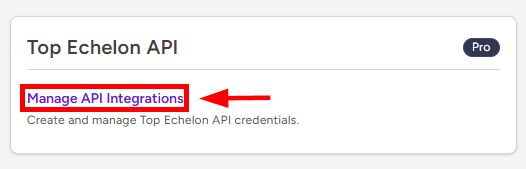
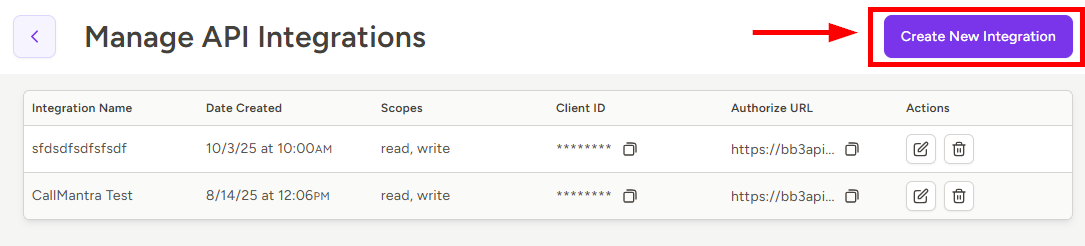
Go to Settings > Top Echelon API > Manage API Credentials and click on Create a New Integration
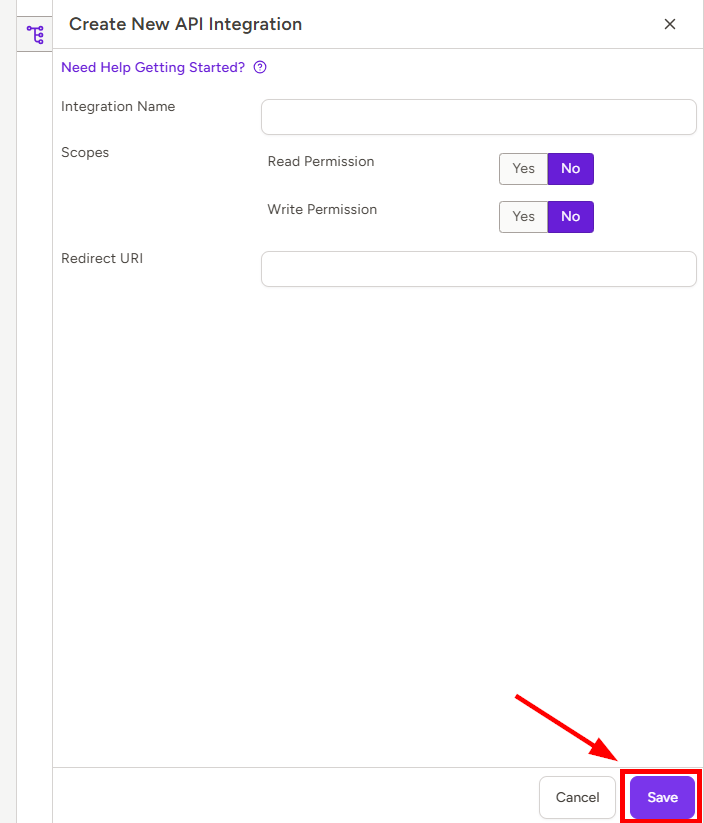
- In the Create New API Integration panel, fill all required fields and click Save at the bottom right
- Integration Name - this will be the name of the Integration that users will see when authenticating and giving permission for the Integration to access their TE Recruit data
- Scopes - this specifies whether the Integration will be able to Read and/or Write data within TE Recruit - select at least one Scope
-
Redirect URI - this is the URL users will be redirected to after authenticating and granting permission to your Integration to access their TE Recruit account
-
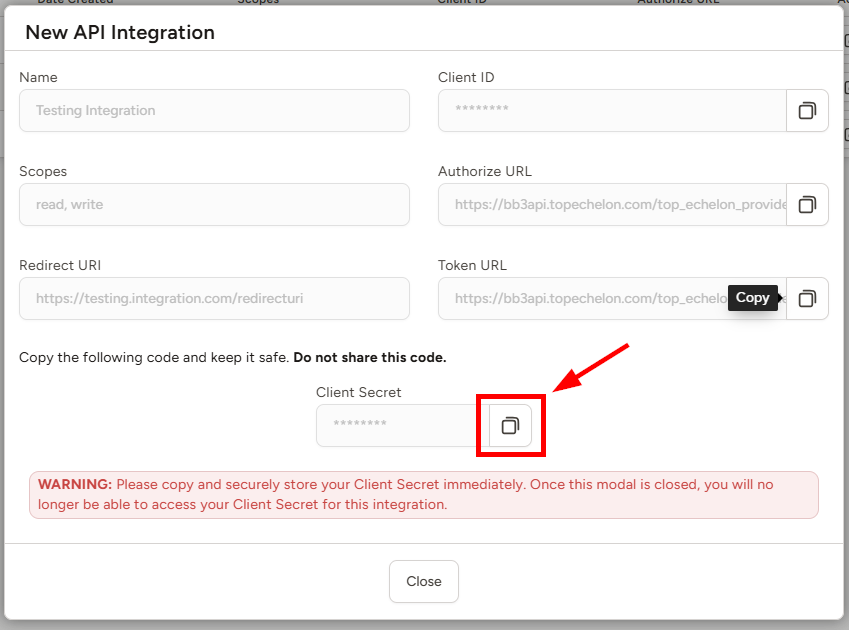
IMPORTANT: The modal that follows is the ONLY place you will be able to access the Client Secret for your new Integration, so copy the Client Secret immediately and store it securely.
Client ID, Authorize URL, and Token URL will all be accessible/copyable later, but this is your ONLY opportunity to copy your Client Secret.
If you fail to copy your Client Secret, or misplace it, you will have to repeat this process to create a new Integration.
-
After you have closed the modal, you may access all credentials/URLs (except Client Secret) under Manage API Integrations, and/or by clicking the Edit "pencil" icon next to your Integration to open the View/Edit API Integration panel. Within this panel, you may also edit the Name, Scopes, and Redirect URI for your Integration.
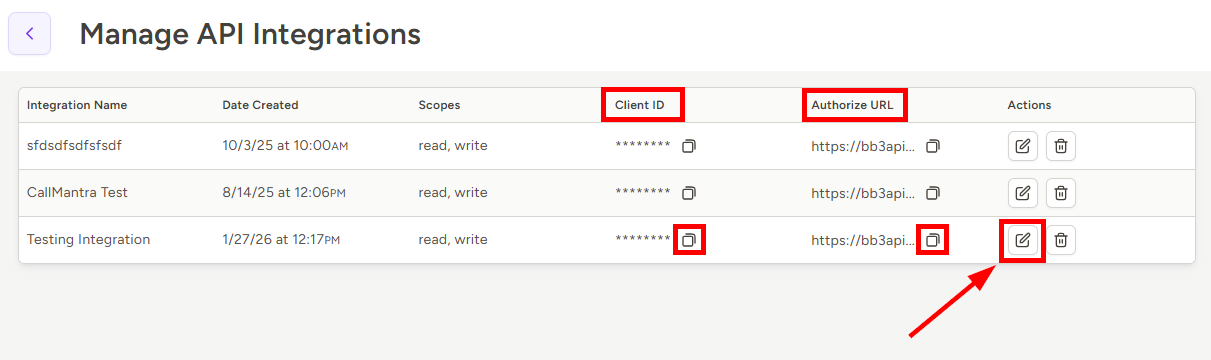
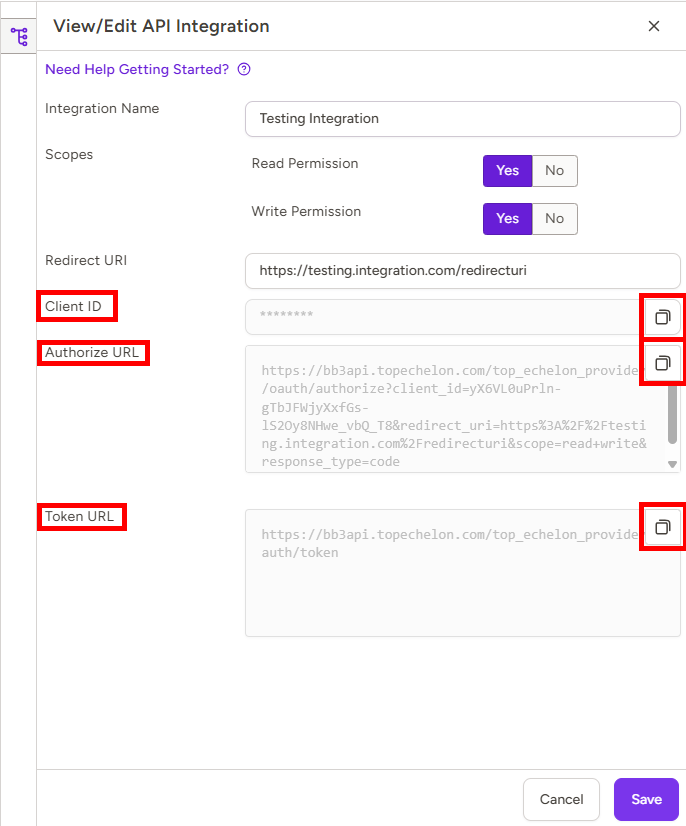
- You will now use these credentials to obtain access tokens for the TE Recruit API, as described below
OAuth Flow
Obtaining Access Grants
-
To obtain a TE Recruit access grant you will need to direct users to the OAuth Authorize URL - for your convenience, you may copy a pre-encoded Authorize URL in the View/Edit API Integration panel
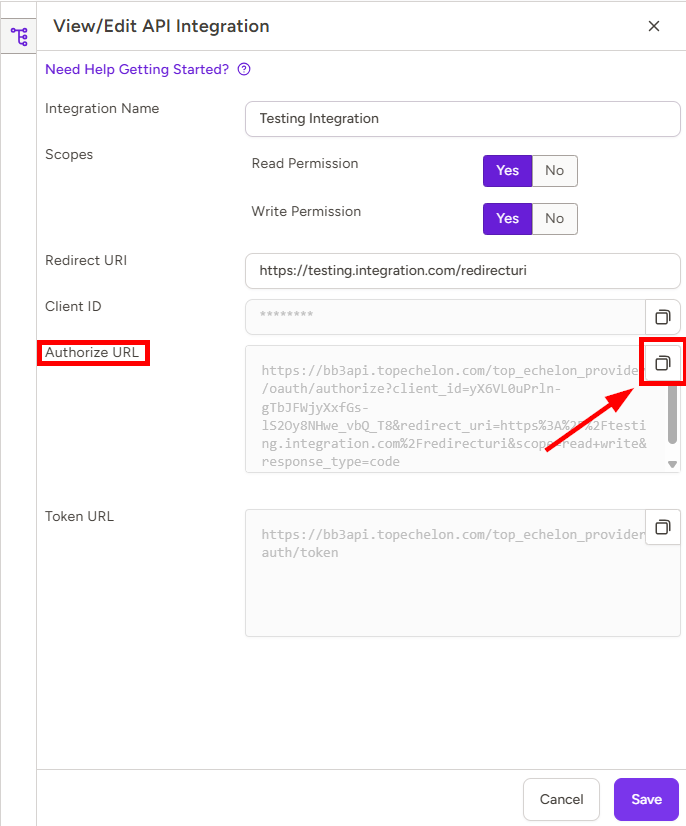
-
Here is how the Authorize URL is composed:
Base URL: https://bb3api.topechelon.com/top_echelon_provider/oauth/authorize
Note: don’t forget to include the following parameters:
client_id, redirect_uri, scope, state, response_type
- client_id: copied from the API Integrations page from step 5 above
- redirect_uri: the same URL that was configured in step 3 above (encoded)
- scope: read, write, or read%20write
- state (optional): any string that will be forwarded to the redirect url for XSRF protection
- response_type: code
-
-
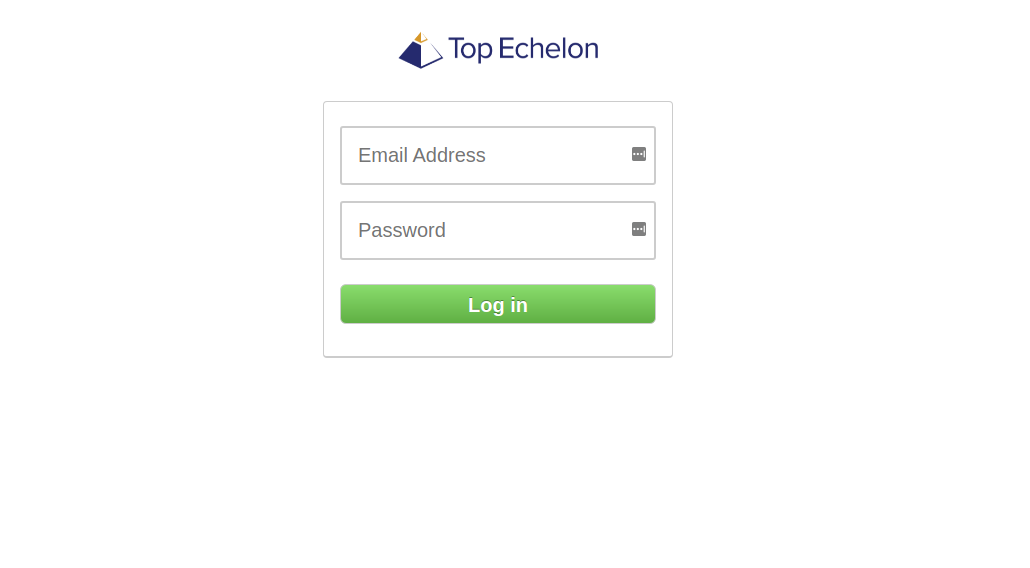
When directed to the Authorize URL, the user will be provided with the following login form:
-
Upon successful login, the user will be able to authorize your Integration to make API calls to TE Recruit on their behalf, subject to your selected Scope(s)
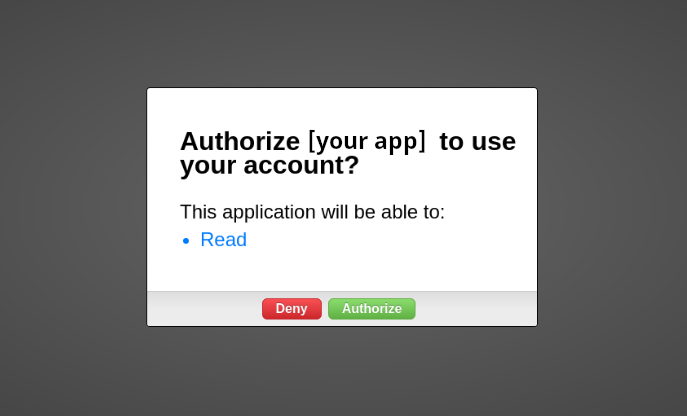
- After authorization, the user is redirected to your Redirect URI with your state parameter and an authorization code parameter. The authorization code expires in 10 minutes.
Retrieving Your First OAuth Token
POST
https://bb3api.topechelon.com/top_echelon_provider/oauth/token
parameters:
- grant_type: “authorization_code”
- code: from Obtaining Access Grants, Step 4 above
- client_id
- client_secret
-
redirect_uri
Response:
{
"access_token": string,
"token_type": "Bearer",
"expires_in": integer (seconds),
"refresh_token": "string",
"scope": "read write" / “read”,
"created_at": integer (seconds)
}
Renewing OAuth Tokens
To refresh your access token you need to make a POST request to the same endpoint
POST
https://bb3api.topechelon.com/top_echelon_provider/oauth/token
parameters:
- grant_type: “refresh_token”
- refresh_token: from previous call to /oauth/token
- client_id
- client_secret
- redirect_uri
response:
{
"access_token": string,
"token_type": "Bearer",
"expires_in": integer (seconds),
"refresh_token": "string",
"scope": "read write" / “read”,
"created_at": integer (seconds)
}
Rate Limit
Customer usage of TE Recruit's Open API is limited to 50 calls per minute, or 500 calls per hour.