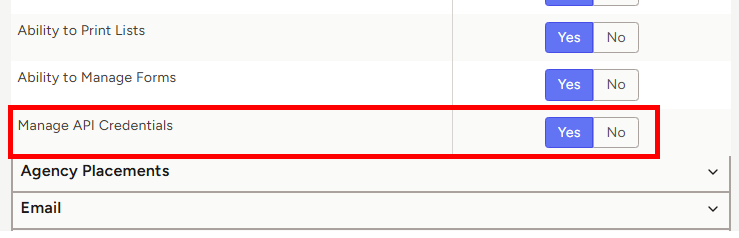
Setting API Access Permissions
 This feature is only available on the Professional Tier
TE Recruit's Open API provides additional flexibility for connecting TE Recruit with other systems and building custom integrations that support your workflow.
By default, only the Main Contact has the ability to create new integrations/Manage API Credentials. If you wish to give another user access, you can follow the instructions below.
Note: the ability to set API permissions is restricted to only those users that have permission to manage users
To set API access permissions for a user:
- Expand the Sidebar in the top right corner of the software and click on the Settings icon
- Click to expand the My Agency section and then select Manage Users

- All users on the account will populate on the left side of the Manage Users page
- Click on the edit icon to the right of the person you wish to set attachment print permissions for

- Under the user’s Permissions on the left side of the User Profile, click to expand the Agency section
- To the right of Manage API Credentials, set the permissions for each record type
- Yes = this user can view and manage the agency’s API integrations, including creating new integrations and editing existing ones
- No = this user does not have access to the agency's API integrations
- Make sure to click the Save Changes button in the bottom right corner once your changes have been made