
[BETA] AI People Search
 This feature is only available on the Professional Tier
AI People Search enhances your Keyword and Position Title searches within your agency's database or Network Candidates by looking beyond exact words to understand the meaning behind your search. It uses semantic search technology to recognize related skills and job titles from each person’s work history and resume.
This makes it easier to identify qualified candidates faster, especially when similar skills, job titles, or experience are described differently across records. It also prioritizes overall relevance, helping bring better-aligned profiles forward so you spend less time running multiple searches.
Note: AI Search is automatically disabled when using Boolean operators, wildcards, or exact matching (quotation marks). This ensures your specific search criteria are always respected.
Getting Started
- Navigate to People in the Main Navigation Bar

- Enter your search terms in the Keyword field, Position Title field, or both

- Click the Search button when complete
- AI Search is enabled by default for new searches
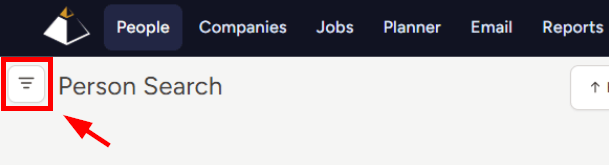
- To filter out AI results, navigate to the Filters sidebar on the left side of the page
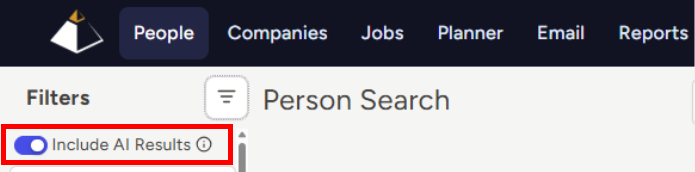
- Use the Include AI Results toggle to include or remove those results from your list
- Review your search results
- Records marked with a star icon were found by AI Search and were not found by traditional search
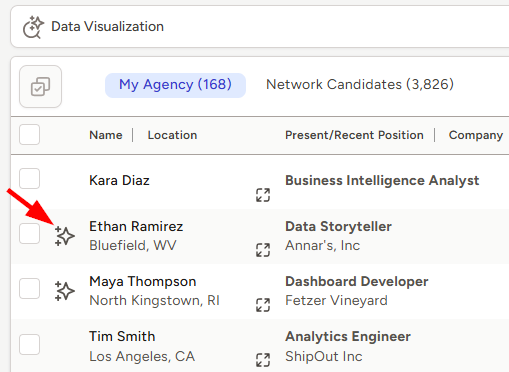
- AI Search also helps improve the order of your results by bringing stronger results closer to the top
- If you need to refine your results, you can update your search terms, apply additional filters, or use the Include AI results toggle to adjust your result list
- Once you’ve made any desired changes, click the Search button to run the search again
Inside AI Search Results
AI Search looks beyond exact keywords to help surface people whose work history and resume skills align with the meaning behind your search terms.
- Similar Roles & Skills: Recognizes related job titles and skills, even when they are described differently across records
- Relevance-First Ordering: Uses semantic relevance to help bring stronger results closer to the top of your list.
- Search Term Flexibility: Helps account for related wording and minor misspellings that may not match traditional keyword search.
Using Boolean Search Terms
AI Search is automatically disabled when Boolean logic, wildcards, or exact phrases using quotation marks are detected in the Keyword or Position Title fields. This ensures your specific search requirements are followed exactly as entered.
If your search includes any of the following, TE Recruit will perform a traditional search and the AI Search toggle will be disabled:
- Boolean operators: AND, OR, AND NOT
- Exact matching: Quotation marks (" ")
- Wildcards: Asterisks (*)
To use AI Search again, remove all Boolean operators, wildcards, or quotation marks from your search fields and run the search again. Once the search is processed without these constraints, the AI Search toggle will become available in the Filters sidebar on the left side of the page.