
Requesting Data Enrichments
TE Recruit's Data Enrichment addon allows you to enhance candidate and contact records with valuable professional information, including contact email addresses, phone numbers, work history, education, social profiles, and more.
Once your agency has an active Data Enrichment subscription, you can use your available credits to request enrichment data directly from individual People Datasheets, lists, or the TE Recruit Browser extension.
Note: the ability to request record enrichments and use enrichment credits is restricted to only those users that have permission to request data enrichments
Data Enrichment is powered by a global database of approximately 832 million people and 117 million companies that is continuously expanding and evolving. The database is refreshed monthly, with proactive event data updated more frequently. Although every effort is made to provide accurate, current information, results may vary, and we cannot guarantee that every enrichment request will return data or that all information will be 100% accurate.
To request an enrichment from a Datasheet:
- Navigate to the corresponding Datasheet of the Person you want to enrich
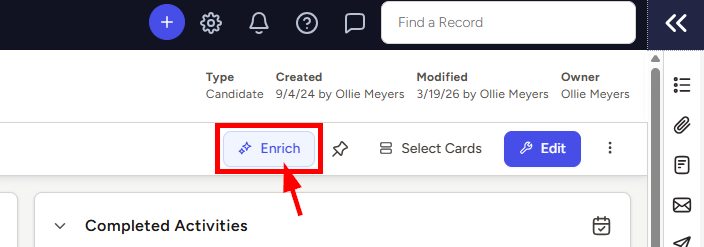
- Click the Enrich button in the top right corner of the record
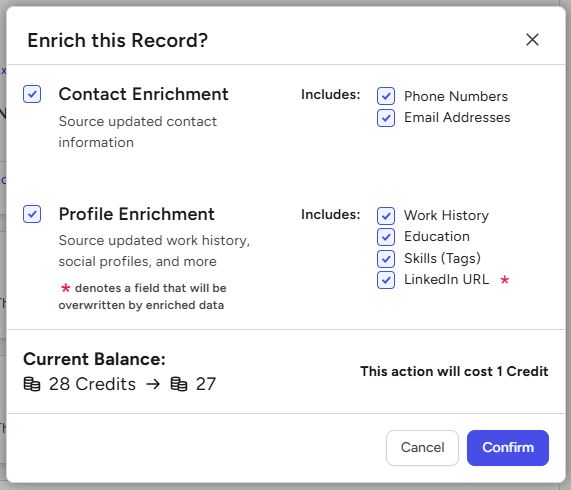
- Select the types of information you want to enrich by checking the corresponding boxes
- NOTE: Social Media URLs will be overwritten and replaced with the enriched values, but all other selected data points will be added as new entries without overwriting existing data
- Click the Confirm button once you've made your selections
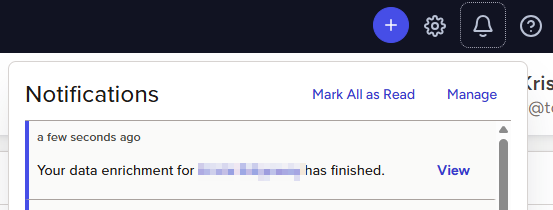
- Your data enrichment request will be entered into the queue and you’ll see a new notification in the top right corner of TE Recruit once the enrichment is complete
-
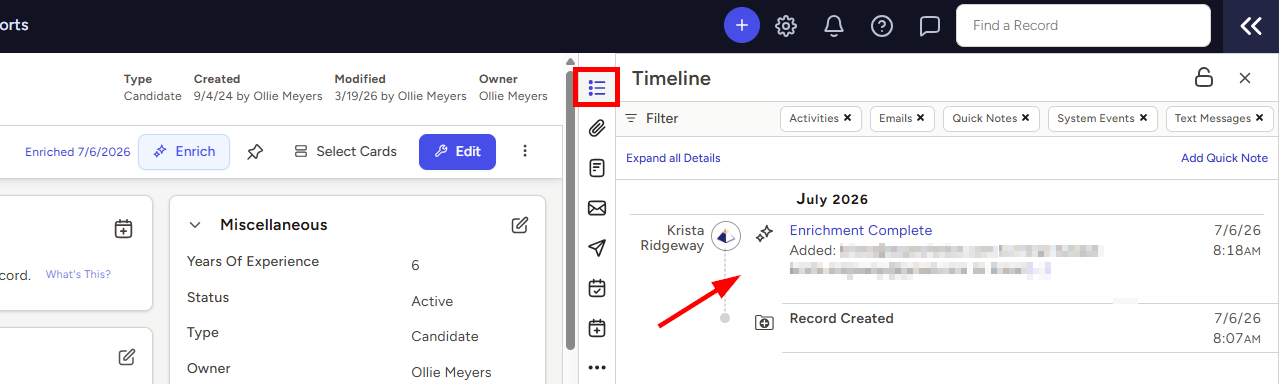
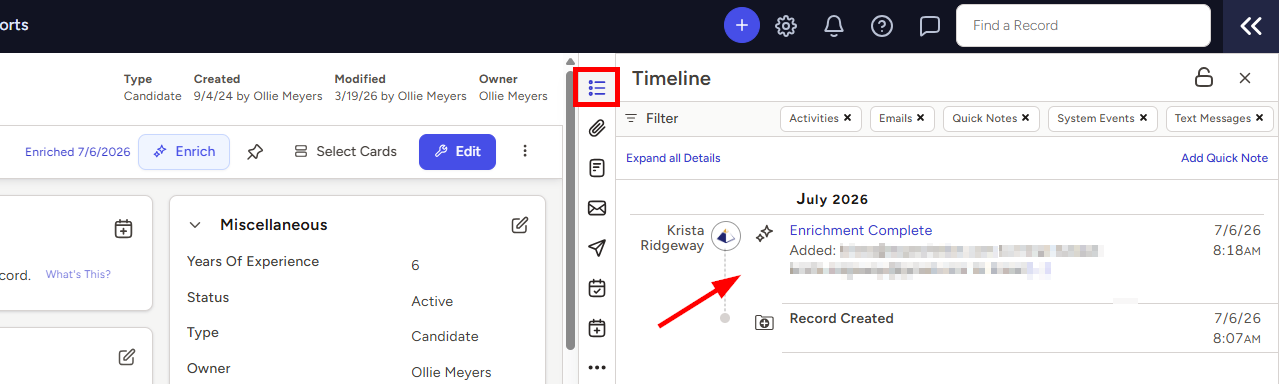
A new system event will also be added to the record's Timeline showing exactly what information was added or updated
To request an enrichment from a list:
- Navigate to a list of search results, a Hotlist, a Pipeline, or the People Dashboard containing the records you want to enrich
- Select the records you wish to enrich using the checkboxes to the left of each name
- Note: You may bulk enrich up to 100 records at a time
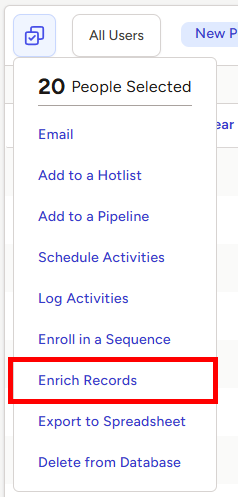
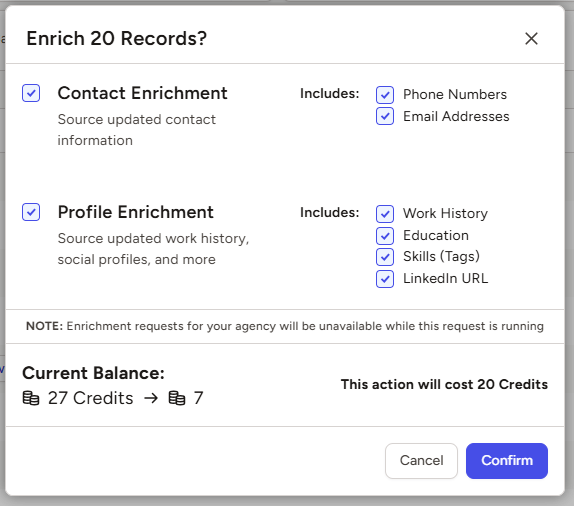
- Select the types of information you want to enrich by checking the corresponding boxes
- NOTE: Social Media URLs will be overwritten and replaced with the enriched values, but all other selected data points will be added as new entries without overwriting existing data
- Click the Confirm button once you've made your selections
- Additional enrichment requests for your agency will be unavailable while a bulk enrichment request is running to avoid duplicate searches
- Your data enrichment request will be entered into the queue and you’ll see a new notification in the top right corner of TE Recruit once the enrichment is complete
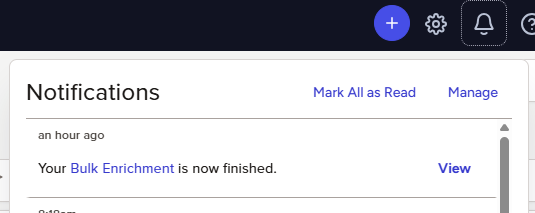
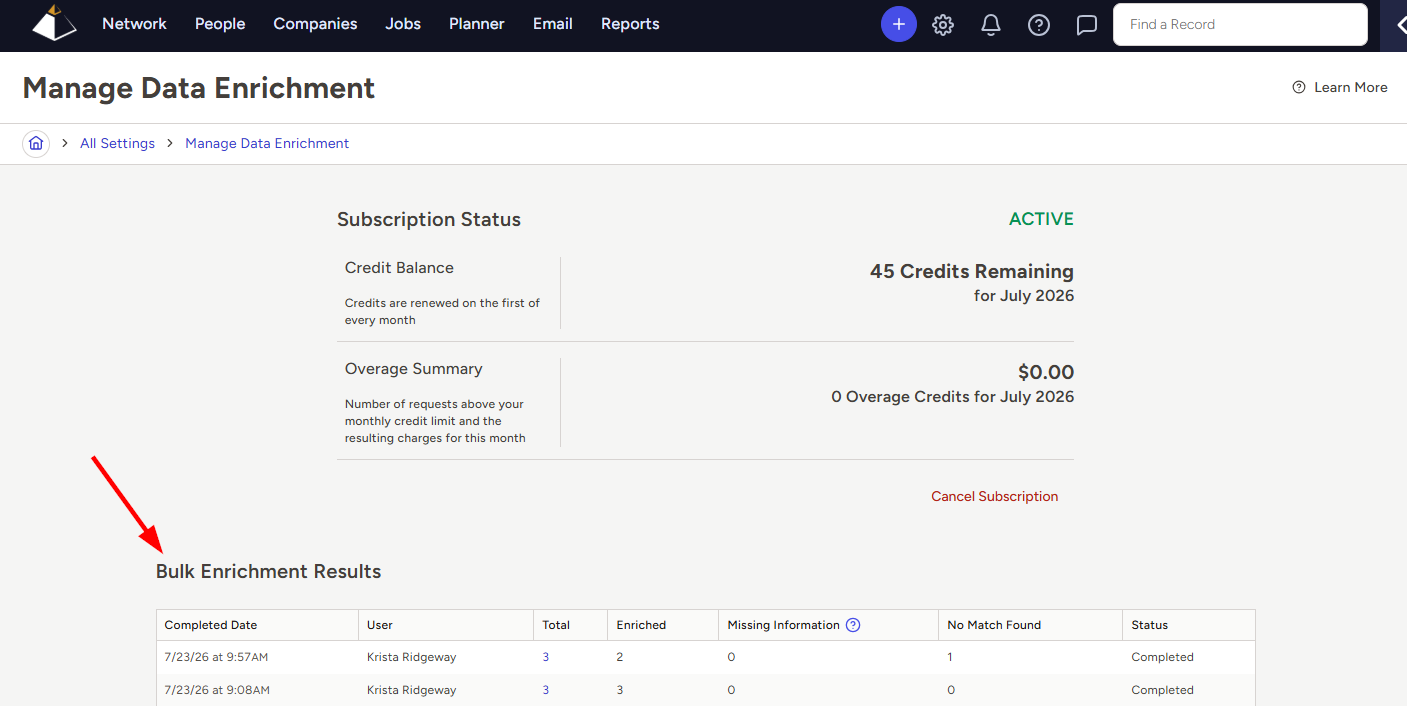
- Click the link in the notification or visit the Manage Data Enrichment Settings page to view your bulk enrichment results
- A new system event will also be added to each enriched record's Timeline, showing exactly what information was added or updated
To request a contact information enrichment from the TE Recruit Browser Extension:
- Navigate to a webpage that you'd like to parse into TE Recruit
- Typically this will be a "profile" page for a Person you'd like to add to your database
- Click on the Browser Extension logo in your browser's toolbar
- A dialog box will appear to preview some of the information that will be saved into your database
- Select the contact information you want to enrich by checking the corresponding boxes before adding the record to your database
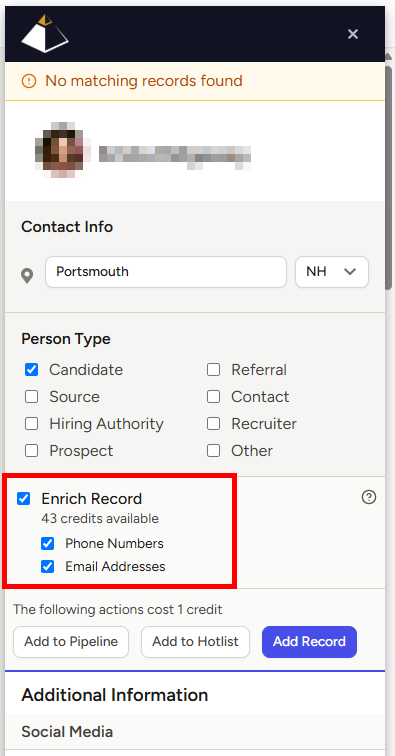
- Your data enrichment request will be entered into the queue and you’ll see a new notification in the top right corner of TE Recruit once the enrichment is complete
-
A new system event will also be added to the record's Timeline showing exactly what information was added or updated